
Introduction
Sitecore XM Cloud, a cloud-native, headless CMS, continues to empower marketers and developers with cutting-edge tools to deliver exceptional digital experiences. One of the exciting new features introduced in 2025 is A/B/n Testing, a robust capability that allows marketers to create, test, and optimize multiple content variants to drive better engagement and conversions. This blog post dives into the A/B/n Testing feature, its benefits, and real-world examples of how businesses can leverage it to enhance their digital strategies.
What is A/B/n Testing in Sitecore XM Cloud?
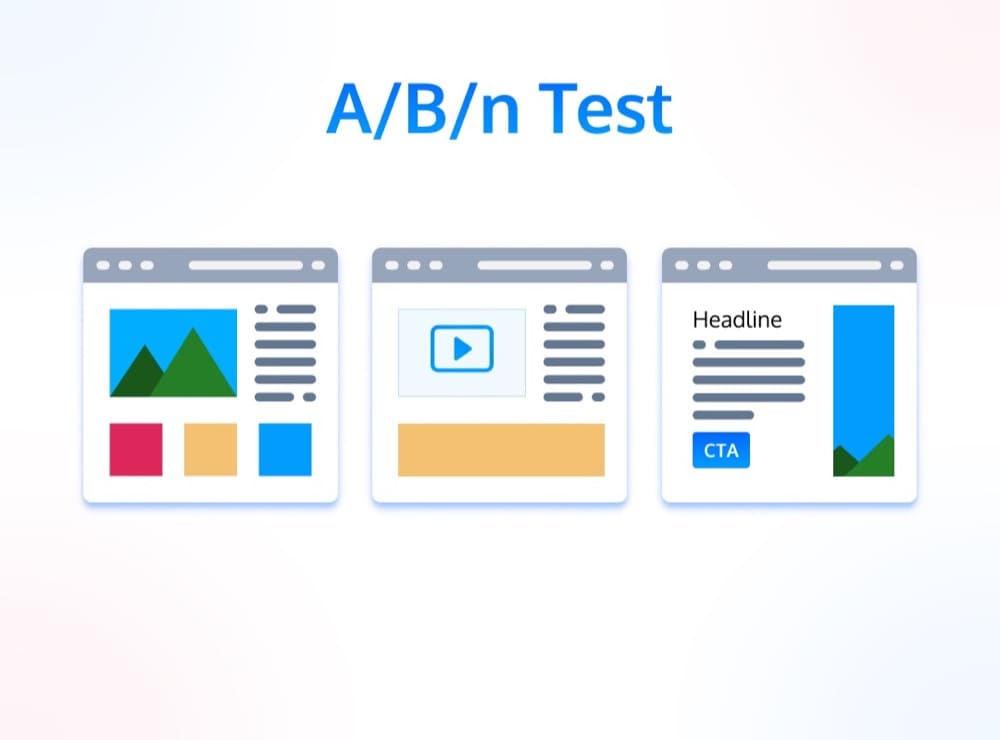
A/B/n Testing in Sitecore XM Cloud enables marketers to test multiple variants of a webpage or component simultaneously, measure their performance against predefined goals, and automatically select the best-performing variant. Unlike traditional A/B testing, which compares two versions, A/B/n testing supports multiple variants, offering greater flexibility for experimentation. Key features include:
- Create Multiple Variants: Test different layouts, headlines, images, or CTAs.
- Choose from Four Goals: Options like conversion rate, engagement time, click-through rate, or custom goals.
- Control Traffic Assignment: Allocate traffic percentages to each variant.
- Track Performance: Real-time analytics to monitor variant success.
- Replace with Best Variant: Automatically deploy the winning variant to all users.
This feature is seamlessly integrated into the Sitecore Pages editor, making it accessible to marketers without requiring extensive developer involvement.
Why A/B/n Testing Matters
A/B/n Testing empowers businesses to make data-driven decisions, optimize user experiences, and maximize ROI. By testing multiple variants, marketers can uncover what resonates most with their audience, whether it’s a specific call-to-action, visual design, or personalized content. The headless architecture of XM Cloud ensures that these tests run efficiently, delivering fast page loads and personalized experiences without compromising performance.
Real-World Usage Examples
Let’s explore two practical scenarios where A/B/n Testing in Sitecore XM Cloud can drive tangible results.
Example 1: E-Commerce – Optimizing Product Page CTAs
Scenario: An online retailer wants to increase the conversion rate on a product page for a new line of athletic shoes. The marketing team hypothesizes that different CTA button texts and colors might influence user behavior.
Implementation:
- Set Up Variants in Sitecore Pages:
- The team creates three variants of the product page CTA:
- Variant A: “Buy Now” (Blue button)
- Variant B: “Add to Cart” (Green button)
- Variant C: “Shop Now” (Red button)
- Using the Sitecore Pages editor, they drag and drop the CTA component and configure each variant.
- The team creates three variants of the product page CTA:
- Define Goals and Traffic:
- Goal: Conversion rate (completed purchases).
- Traffic allocation: 33% to each variant to ensure an even split.
- Run the Test:
- The test runs for two weeks, with XM Cloud’s analytics tracking purchases attributed to each CTA variant.
- Analyze Results:
- Variant B (“Add to Cart”, Green) achieves a 12% higher conversion rate than the others.
- XM Cloud automatically replaces the other variants with Variant B for all users.
- Outcome:
- The retailer sees a 10% increase in overall sales for the product line, directly attributed to the optimized CTA.
Why It Works: The flexibility to test multiple CTA variations simultaneously allowed the team to quickly identify the most effective option. The WYSIWYG interface in Sitecore Pages made it easy for marketers to set up and manage the test without coding.
Example 2: B2B – Enhancing Lead Generation Forms
Scenario: A B2B software company aims to boost lead generation through a landing page form. They want to test different form lengths and headlines to maximize form submissions.
Implementation:
- Create Variants in Sitecore Pages:
- Variant A: Short form (Name, Email) with headline “Get Your Free Trial”.
- Variant B: Medium form (Name, Email, Company) with headline “Start Your Free Trial Today”.
- Variant C: Long form (Name, Email, Company, Phone) with headline “Unlock Your Free Trial Now”.
- The forms are built using the XM Cloud Forms Builder, which supports drag-and-drop form creation and accessibility standards like ARIA attributes and keyboard navigation.
- Define Goals and Traffic:
- Goal: Form submission rate.
- Traffic allocation: 40% to Variant A, 30% to Variants B and C.
- Integrate with Analytics:
- The team uses XM Cloud Pages Analyze to track submission rates and user engagement metrics.
- Run and Optimize:
- After a one-month test, Variant A (short form) outperforms others by 15% in submission rates.
- The winning variant is automatically applied, and the team uses insights to refine future campaigns.
- Outcome:
- Lead generation increases by 18%, and the company reduces form abandonment by simplifying the user experience.
Why It Works: A/B/n Testing allowed the team to experiment with form complexity and messaging, identifying the optimal balance for their audience. The integration with XM Cloud’s analytics provided clear, actionable insights.
Step-by-Step Guide to Setting Up A/B/n Testing
Here’s how you can implement A/B/n Testing in Sitecore XM Cloud:
- Access Sitecore Pages:
- Log into the Sitecore Cloud Portal and open the Pages app. Ensure you have the necessary permissions to create and manage tests.
- Create a New Test:
- In the Pages editor, select the page or component you want to test (e.g., a CTA button or form).
- Click “Create A/B/n Test” and define up to five variants.
- Configure Variants:
- Use the drag-and-drop interface to modify content, such as headlines, images, or form fields.
- Assign traffic percentages to each variant (e.g., 25% each for four variants).
- Set Goals:
- Choose a goal from the four available options or define a custom goal (e.g., “Downloads” for a whitepaper).
- Launch the Test:
- Save and publish the test. XM Cloud distributes traffic to each variant and tracks performance via Experience Edge.
- Monitor and Optimize:
- Use XM Cloud Pages Analyze to review real-time metrics.
- Once the test concludes, XM Cloud automatically applies the winning variant or allows manual selection.
Best Practices for A/B/n Testing
- Start Small: Test one element at a time (e.g., headline or button color) to isolate variables.
- Define Clear Goals: Ensure your goal aligns with business objectives, like conversions or engagement.
- Leverage Headless Capabilities: Use XM Cloud’s headless architecture to test across multiple channels (web, mobile, etc.).
- Monitor Regularly: Check analytics frequently to catch trends early.
- Iterate: Use insights from one test to inform future experiments.
Challenges and Considerations
While A/B/n Testing is powerful, there are challenges to consider:
- Complexity in Multi-Site Environments: When managing multiple sites, ensure tests are scoped correctly to avoid unintended content access.
- Preview Endpoint Limitations: Some GraphQL queries may face complexity errors in the Preview Endpoint, requiring configuration adjustments (e.g., MaxComplexity: 250).
- Feature Gaps: Features like Content Tokens and SXA Overlays from traditional Sitecore are not yet fully implemented in XM Cloud, requiring workarounds.
For these challenges, consult Sitecore’s documentation or support for guidance.
Conclusion
Sitecore XM Cloud’s A/B/n Testing feature is a game-changer for marketers and developers, offering a low-code, data-driven way to optimize digital experiences. By enabling rapid experimentation with multiple variants, it empowers businesses to deliver relevant, high-performing content across channels. Whether you’re an e-commerce retailer refining CTAs or a B2B company streamlining forms, A/B/n Testing can drive measurable results. Start exploring this feature today through the Sitecore Cloud Portal and unlock the full potential of your digital strategy!
For more details, check out the Sitecore XM Cloud Changelog or the Sitecore Documentation.